In a previous post, I hinted at the possibility of replacing a “smart” speaker with readily placed VoIP phones as a way to play radio around the house.
This would kind of make sense, phones use the RTP protocol for audio is designed for real-time communication and so, naturally sync with each other in a local network.
As a proof of concept, I wanted to create a service that allowed me to “dial-in” to a radio stream on demand…
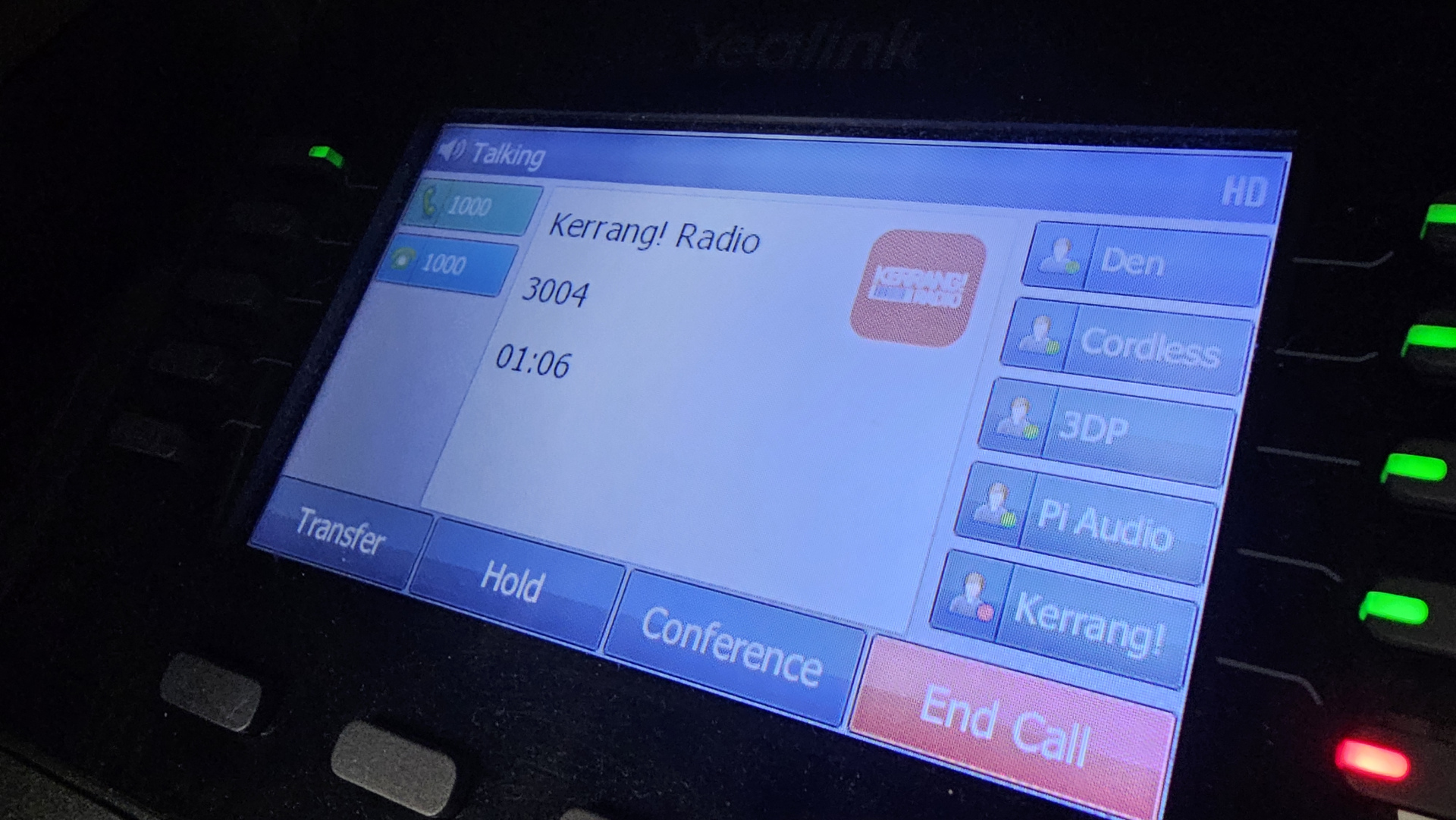
Initial thoughts was to just to pipe a continuous radio stream to an extension. However, in addition to the waste of bandwidth, any network disruptions would essentially kill the stream without recovery. Therefore, a play on-demand service would help keep the stream fresh whilst saving bandwidth at idle.
My preferred radio for testing is Kerrang radio, I get the URL’s for radio feed via this site and downloading the playlist .pls file, then opening the file in a text editor to extract the actual stream URL.
Baresip Setup
Similar to the earlier project in piping audio from a Raspberry Pi to SIP, a minimal install of Baresip will be used to handle the SIP element and added as a system service in a mostly similar way.
To give the script some context on when to play on demand, we need a log of baresip’s output.
In the service configuration file, under [service] change the following line:
ExecStart=/usr/bin/baresipto:
ExecStart=/bin/bash -c "/usr/bin/baresip > /path/to/sipaudio.log 2>&1"This will now run the application and send all output to a sipaudio.log file for processing by the script.
Script
The script will read the log file for any newly established calls and add them to a counter to establish how many calls are active, while the call count is greater than zero, trigger the radio stream.
Similarly, call terminations are also registered and affect the active_calls variable.
The goal is to ensure the stream is only triggered when the first active call is dectected, and only stop the stream when the last remaining call is cleared down.
For example, if Phone A calls in, the stream is triggered and starts playing. Then, phone B also calls in and hears the established stream. If Phone A was to hangup, we’ll need to continue the stream for phone B (i.e not latching to the phone that triggered the stream), but if phone B also hangs up, the stream is stopped as there’s nothing there to listen.
Create the script file and add the following:
#!/bin/bash

# Path to Baresip log file
LOG_FILE="/path/to/sipaudio.log"
STREAM_URL="http://edge-bauerall-01-gos2.sharp-stream.com/kerrang.mp3?aw_0_1st.skey=1736072895"

# Track active calls
active_calls=0
mpv_pid=""

start_stream() {
    if [[ -z $mpv_pid ]]; then
        echo "Starting stream..."
        mpv "$STREAM_URL" &
        mpv_pid=$!
    else
        echo "Stream is already running."
    fi
}

stop_stream() {
    if [[ -n $mpv_pid ]]; then
        echo "Stopping stream..."
        kill $mpv_pid
        wait $mpv_pid 2>/dev/null
        mpv_pid=""
    else
        echo "Stream is not running."
    fi
}

monitor_calls() {
    echo "Monitoring Baresip log for call events..."
    tail -Fn0 "$LOG_FILE" | while read -r line; do
        if [[ "$line" == *"Call established"* ]]; then
            ((active_calls++))
            echo "Call incoming. Active calls: $active_calls"
            if [[ $active_calls -eq 1 ]]; then
                start_stream
            fi
        elif [[ "$line" == *"session closed"* ]]; then
            ((active_calls--))
            echo "Call ended. Active calls: $active_calls"
            if [[ $active_calls -le 0 ]]; then
                active_calls=0
                stop_stream
            fi
        fi
    done
}

# Start monitoring calls
monitor_calls
Make the file executatble with:
chmod +x /path/to/filename.shService
This can be ran via the terminal/SSH, but for ease of use and reboot survival, lets create a service for the script.
Create and edit a service file:
sudo nano /etc/systemd/system/sip.radio.serviceAdd the following to the new service file:
[Unit]
Description=Kerrang Radio Stream
After=sound.target network.target

[Service]
ExecStart=/path/to/filename.sh
Restart=always
RestartSec=10
User=pi
WorkingDirectory=/home/pi
StandardOutput=journal
StandardError=journal
Environment=HOME=/home/pi
Environment=XDG_RUNTIME_DIR=/run/user/1000

[Install]
WantedBy=multi-user.target
When saved, reload services:
sudo systemctl daemon-reloadStart the service and enable it to start at boot:
sudo systemctl enable --now sipradioNow a test call can be made to the baresip extension, and hopefully the radio will be though in a second or two.
Summary
Since originally starting this in March, the script and SIP endpoint has been idle for a few months, but seeing if it still works while writing this, the stream fired right up on first asking.
I would like to significantly reduce my “smart” speaker density, as they are almost exclusivley music players at this point due to the frustration in using them for anything else (even playing music is a challenge at times), but are always listening in.
To put this theory into production will require both opus capable phone hardware and decent wired/bluetooth speakers with connectivity inbetween.
I wonder if a Pi Zero W2 could come to a cheap option rescue?